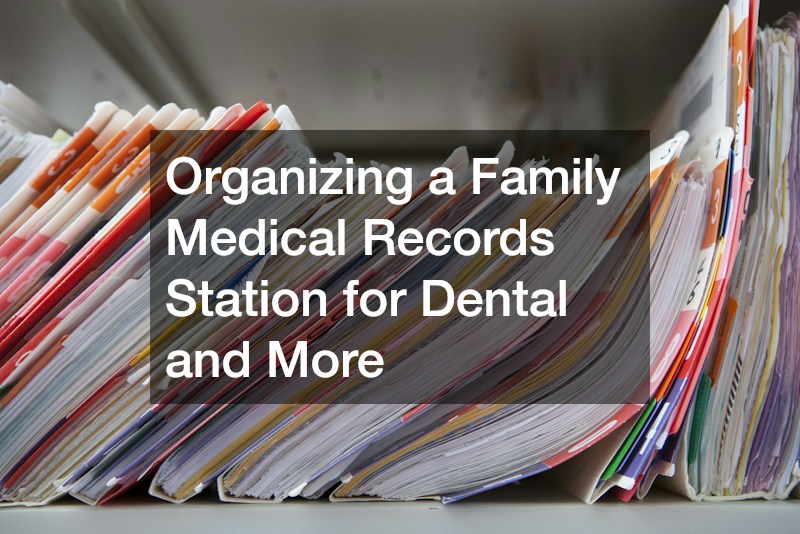
When a child spikes a fever at midnight or a dentist asks about your family’s medical history mid-appointment, scrambling through drawers and old emails is the last thing you want to do. A well-organized family medical records station turns chaotic paperwork into a calm, reliable system you can reach for in seconds. This guide walks you through building one that covers everything from dental visits to prescriptions to vaccination records, so you are never caught unprepared again.
Choosing a Central Location for Your Records Station
Pick one consistent spot in your home for all medical paperwork, whether that is a kitchen cabinet, a hallway closet shelf, or a dedicated filing cart. The location should be easy for every adult in the household to access quickly, especially during an emergency when you do not have time to search multiple rooms. Avoid scattering records between a junk drawer, a bedroom desk, and random folders on different computers.
Think about accessibility alongside privacy. A station near the kitchen or home office tends to work well because it is central without being in a high-traffic bedroom where personal documents could be misplaced. If you have older children who may need to grab their own records for school forms or sports physicals, make sure the location is within their reach too.
- Choose a spot used daily so the system stays top of mind
- Keep records away from moisture-prone areas like basements or garages
- Consider a locking drawer if sensitive information is stored
- Label the station clearly so babysitters or relatives can find it in a pinch
Setting Up Folders by Family Member and Record Type
The simplest way to organize paperwork is by person first, then by category within each person’s folder. Give every family member their own color-coded folder or binder section, then subdivide it into categories like general health, dental, vision, and specialists. This structure means you can grab exactly what you need without flipping through someone else’s paperwork.
Within each person’s section, keep a running list of current medications, allergies, and chronic conditions on a single summary sheet at the front. This one-page overview is invaluable when filling out new patient forms or talking to a provider over the phone. Update it every time something changes rather than waiting for an annual review.
- Use a different color folder for each family member
- Create subcategories such as immunizations, lab results, and insurance cards
- Keep a one-page health summary at the front of each folder
- Store expired or outdated documents in a separate archive folder
Tracking Dental Visits and Treatment History
Dental records deserve their own clearly marked section because they involve ongoing treatment plans, X-rays, and insurance claims that pile up quickly. Keep copies of cleaning schedules, cavity treatments, orthodontic paperwork, and any referrals for specialized procedures. If a family member has undergone something like laser gum therapy, make sure the treatment notes and follow-up care instructions are filed together rather than scattered across different visits.
It also helps to track the date of each checkup and any recommendations the dentist made, so you can see patterns over time. A child who needs frequent fluoride treatments or an adult managing gum sensitivity will benefit from having a documented history rather than relying on memory. This record becomes especially useful if you switch dental practices and need to share background information with a new provider.
- File X-rays and treatment plans by date for easy comparison
- Keep insurance explanation of benefits forms with each visit record
- Note any recommended follow-up care or specialist referrals
- Store orthodontic records separately if treatment spans multiple years
Organizing Pediatric Health Information
Children’s medical paperwork tends to accumulate fast, from vaccination records required for school to notes from the kids dentist about baby teeth and growth patterns. Keeping these documents in one accessible place saves you from last-minute searches before enrollment deadlines or sports physical requirements. It also gives you a clear picture of your child’s development that you can reference as they grow.
Many pediatric and dental offices now offer digital portals, but it is still smart to keep printed backups of key documents like immunization schedules and growth charts. Technology can fail or accounts can become inaccessible, so a physical copy ensures you are never left without proof when a school or camp asks for it on short notice.
- Keep immunization records in a labeled plastic sleeve for durability
- Save growth charts and well-visit summaries chronologically
- File school and camp physical forms together for quick access
- Note any recurring health concerns the pediatrician has flagged
Managing Insurance Cards and Billing Documents

Insurance paperwork is often the most confusing part of a medical records station, but it does not have to be. Create a single folder for current insurance cards, policy numbers, and customer service contacts for every provider your family uses. Keep a separate section for billing statements and explanation of benefits forms so you can quickly verify charges or dispute errors.
It is worth reviewing this folder every time your coverage changes, such as during open enrollment or after a new job. Outdated insurance information can cause delays at appointments or confusion when filing claims, so a quick annual check keeps everything current.
- Store physical and digital copies of insurance cards
- Keep a log of claims submitted and their resolution status
- File billing statements by provider and date
- Note deductible and out-of-pocket maximums for quick reference
Maintaining Digital Backups for Peace of Mind
Even the best paper system benefits from a digital backup in case of fire, flood, or simple misplacement. Scan key documents like vaccination records, surgical history, and allergy information into a secure cloud folder or encrypted drive. This way, if you are traveling or dealing with an emergency away from home, you still have access to critical information.
Set a recurring reminder, perhaps every six months, to update these digital files alongside your physical station. Keeping both systems in sync prevents the frustration of referencing an outdated scan during an urgent situation.
- Use a password-protected app or encrypted cloud storage
- Scan documents in PDF format for easy sharing with new providers
- Back up files to more than one location
- Review and update digital records twice a year
Building a family medical records station takes a few hours of upfront effort, but it pays off every time you need information quickly and accurately. Start small by gathering what you already have, then organize it into the folder system that fits your household best. Once the structure is in place, maintaining it only takes a few minutes after each appointment, giving you one less thing to worry about.